Jot it down, and AI writes your weekly & monthly reports
WeekNote is a week-centred notebook: capture bits of work and life as they happen, then let AI distil them into a clear weekly or monthly report — no more digging through chat history to remember what you did.
▶ Get it on Google Play 🌐 Use the web appFeatures
Not “yet another notes app” — built specifically for periodic summaries
Quick capture, zero friction
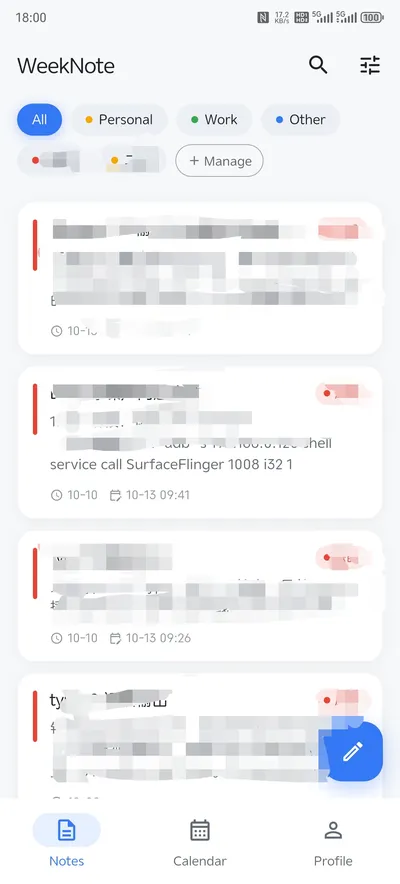
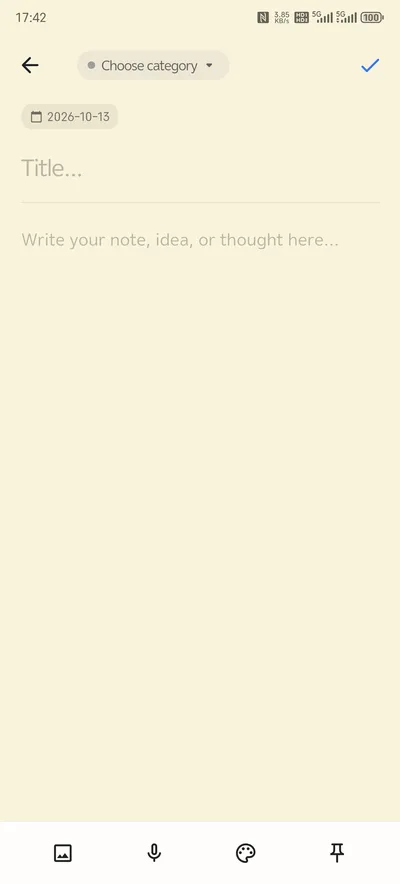
Paper-like sticky notes with text, images and voice memos. Tag them by category, auto-saved on exit — jot things down without fussing over format.
Built around the week
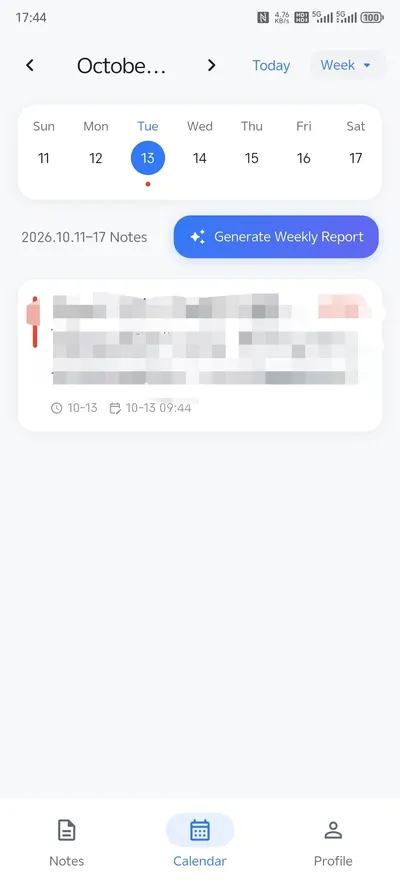
Choose your own first day of the week (Mon/Sun). The week view shows all 7 days on one screen with clear date ranges — no more counting “which week is it”.
One-tap AI weekly & monthly reports
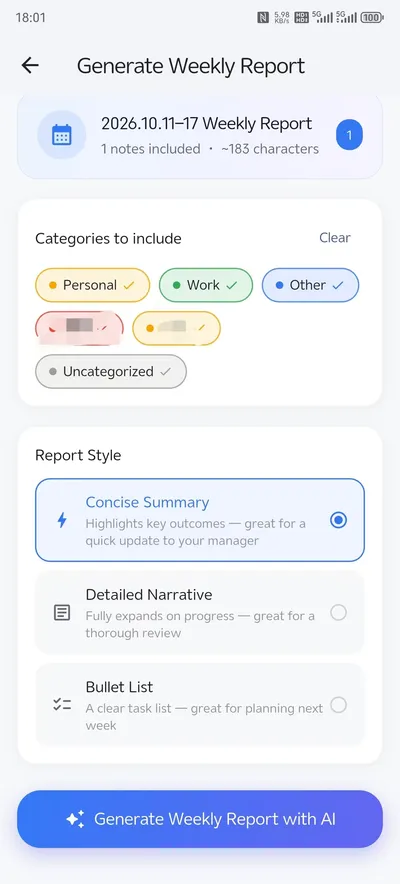
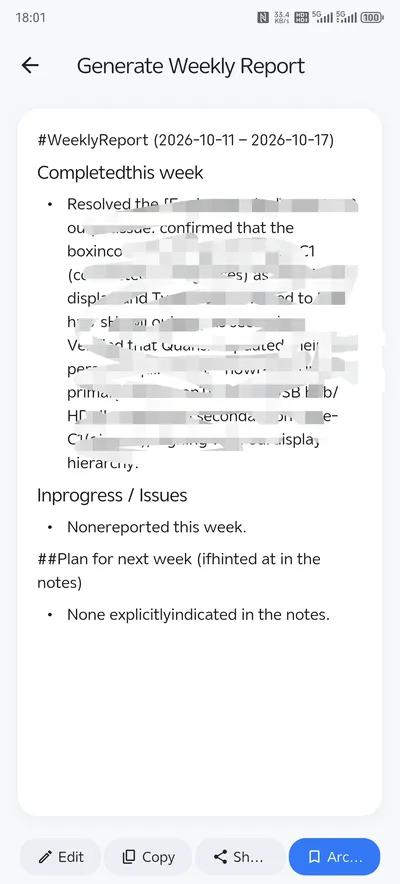
Filter what to summarize by category, pick from three styles (concise / detailed / bullet points), and watch a structured report stream in.
Home-screen widget
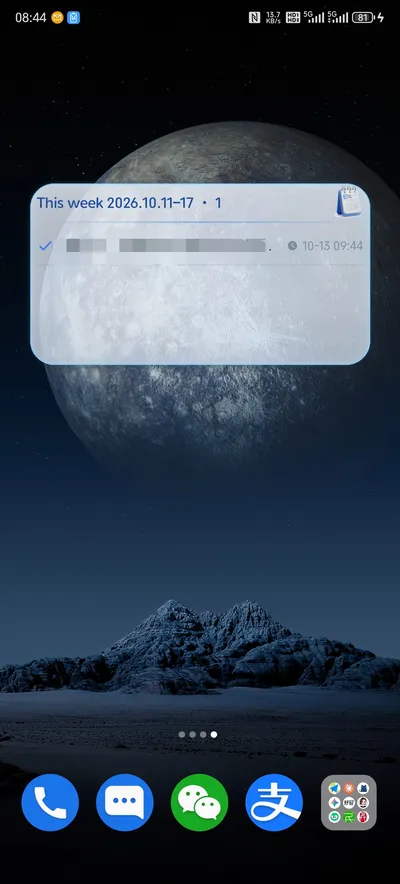
A native scrollable Android widget shows this week's notes on your home screen — tap to jump straight to a note without opening the app first.
Cloud sync across devices
With VIP and a login, your notes and reports sync across devices. A web app and a lightweight WeChat mini-program are also available.
Privacy first
Notes are stored locally first. Selected content is only sent to the AI when you tap “generate report” — everyday notes are never snooped on.
Who uses WeekNote
Anyone who has to answer “what did you get done this week?”
Engineers & PMs
Log fixes, decisions and meetings during the week, then generate a weekly status report for your stand-up or manager in seconds.
Freelancers & consultants
Keep a running record of client work and turn it into a clear monthly summary for invoicing or progress updates.
Students & self-learners
Capture what you studied each day and review a structured weekly recap that shows your progress.
Screenshots
Taken on a real device — what you see is what you get
Plans
Enjoy every core feature for free; VIP unlocks cloud sync and more AI generations
Free
- Notes, categories, calendar views and a home-screen widget
- 2 AI generations per month (1 per weekly report, 2 per monthly report)
- Three output styles and category filtering
Yearly
- 40 AI generations per month (up to 10 per day)
- Cloud sync across your devices
- About $2.50 per month — 16% cheaper than monthly
Monthly
- 40 AI generations per month (up to 10 per day)
- Cloud sync across your devices
In-app subscriptions are paid through Google Play and the web app uses Stripe. Both renew automatically and can be cancelled at any time.
Frequently asked questions
What is WeekNote?
WeekNote is a weekly notes app for Android and the web. You jot down short notes during the week, and its AI turns them into a structured weekly or monthly report.
How does the AI weekly report generator work?
Pick a week or month, choose which categories to include and one of three styles (concise, detailed or bullet points). WeekNote sends only the selected notes to the AI and streams back a finished report you can copy and edit.
Is WeekNote free?
Yes. Notes, categories, calendar views and the widget are free, and you get 2 AI generations per month. VIP ($2.99/month or $29.99/year) gives 40 AI generations per month and cloud sync.
Is my data private?
Notes are stored locally first. Only the notes you select are sent to the AI when you generate a report; nothing is sent in the background.
Which platforms are supported?
Android 8.0 and later via Google Play, plus a web app that works in any modern browser and syncs with the mobile app for VIP users.
How do I write a weekly report?
Keep it short and structured: list what you finished, what is still in progress, any blockers, and your plan for next week. The easiest way is to jot down a note each time something happens, so on Friday you only have to organize notes instead of trying to remember the week.
What should a weekly status report include?
A good weekly status report usually has four parts: accomplishments (what got done), in progress (what is underway), blockers or risks (what needs help), and next week's plan. WeekNote's AI report styles follow this kind of structure, and you can edit the result before sending it.
How can I turn daily notes into a weekly report?
Write short notes through the week and tag them with categories such as Project A or Meetings. In WeekNote, choose the week, select the categories to include, pick a style, and the AI summarizes those notes into a structured report you can copy.
Can AI write my monthly report, and is it accurate?
WeekNote's AI summarizes only the notes you select, so the report reflects what you actually wrote. It is a draft, not a replacement for your judgment: read it, correct any detail and add context before you share it.
Is there a weekly report template I can use?
A simple template works well: 1) Done this week, 2) In progress, 3) Blockers or risks, 4) Plan for next week. WeekNote's bullet-point style produces a report in this shape, and the concise and detailed styles give you shorter or longer versions of the same content.
How do I keep a work journal or daily work log?
Make it effortless: one short line per event, written when it happens, with a category tag. Review the log weekly. A notes app that groups entries by week, like WeekNote, makes the weekly review and the report almost automatic.
Start your first weekly report today
Search for “WeekNote” on Google Play, or tap the button below to install
▶ Go to Google Play